
AI-Powered Smart Assistant
Describe what you need, AI plans and executes autonomously.
Chat with your Agent via desktop app, Feishu, DingTalk, WeCom, Slack, Telegram, or Web — let AI handle the rest.
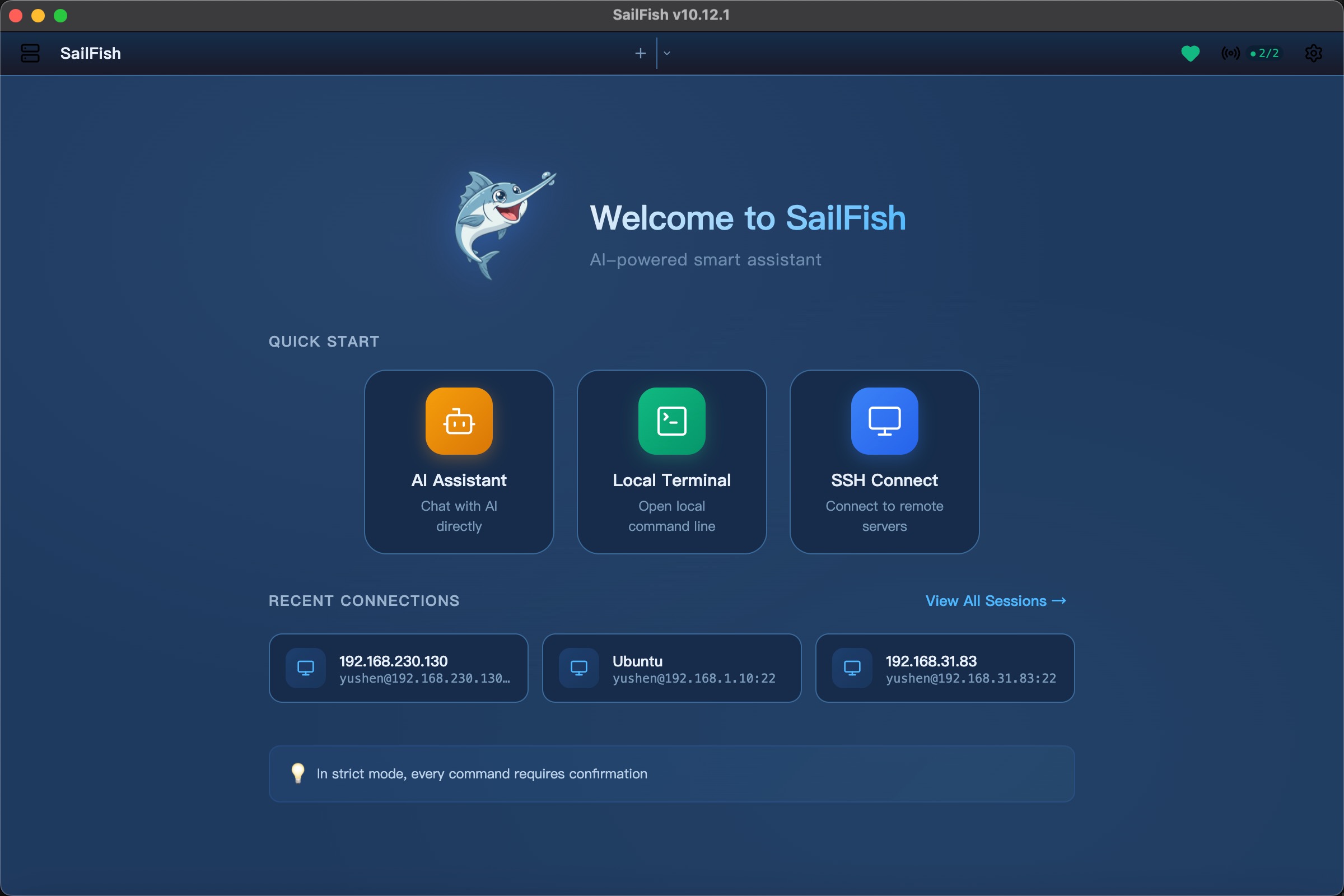
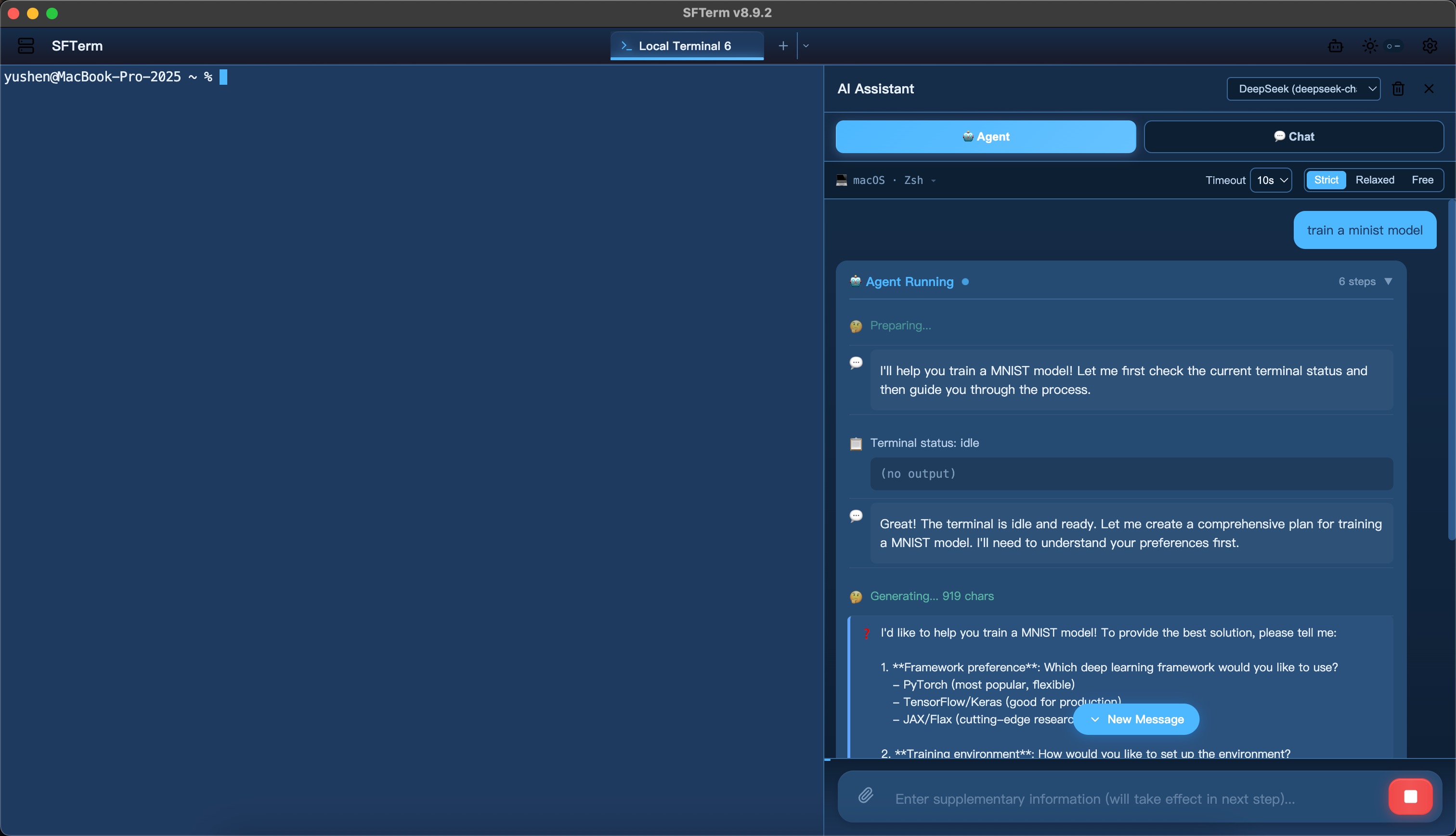
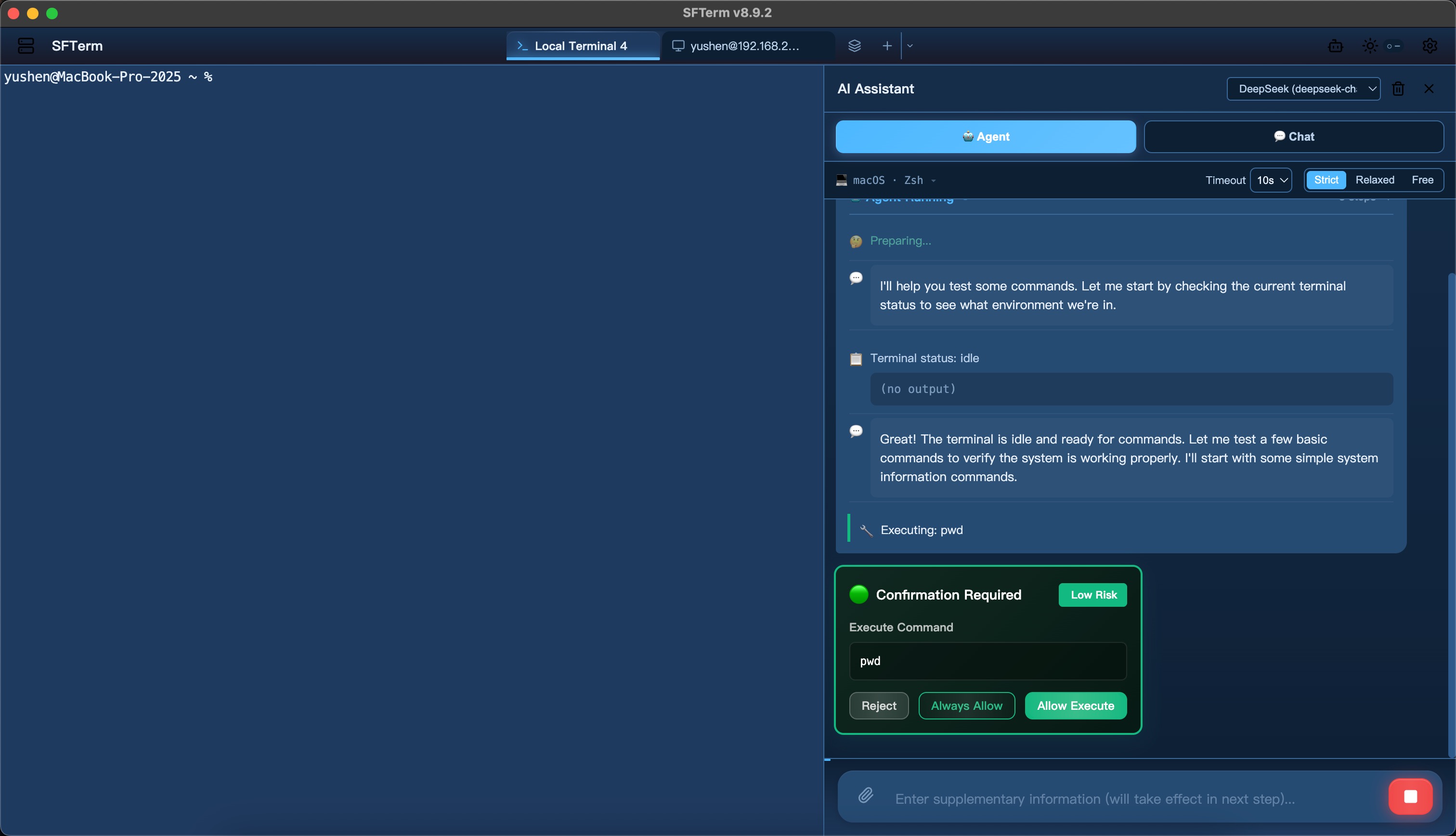


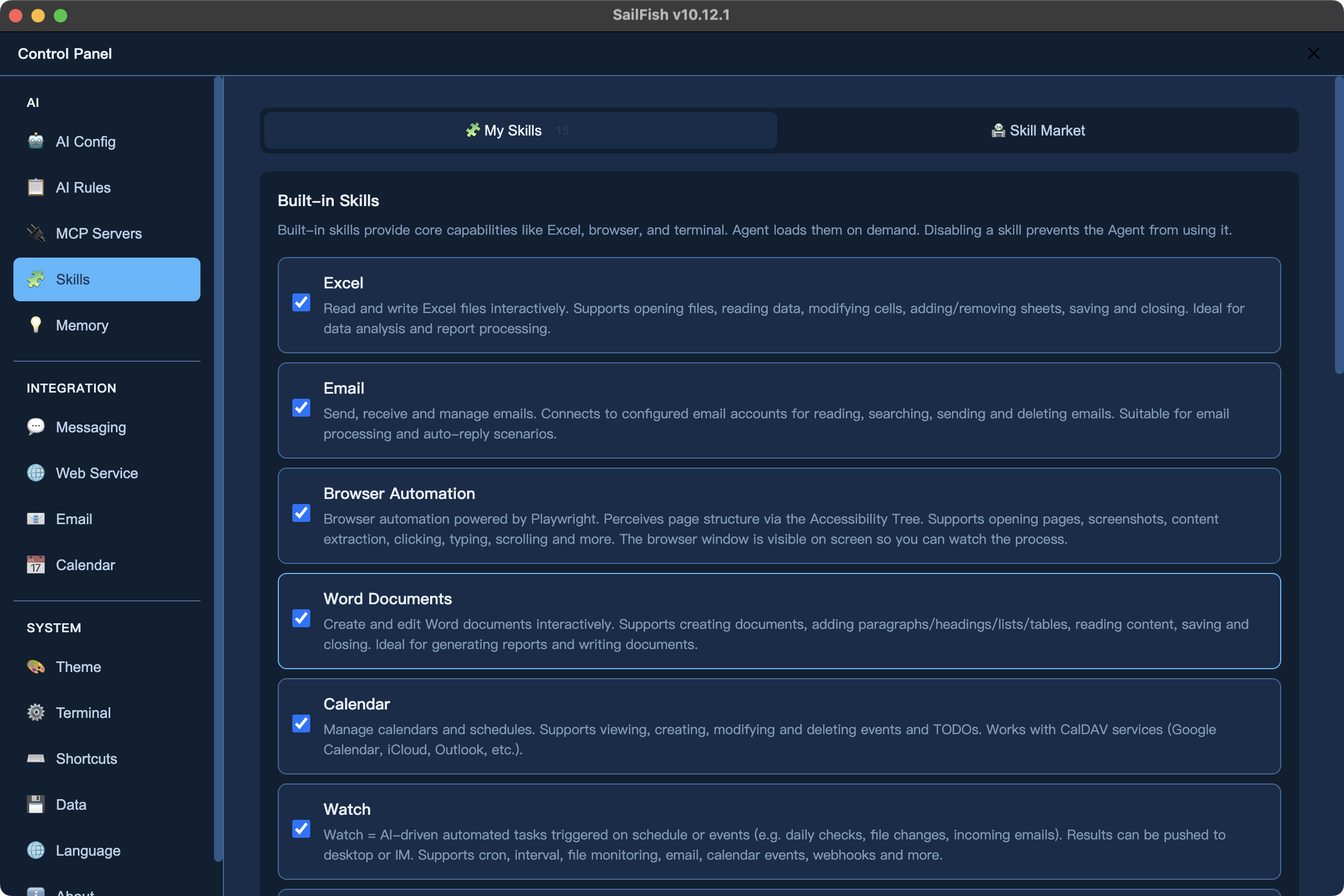

Powerful Features, Smart & Efficient
More than a terminal — your AI Agent that executes commands, manages files, sends emails, browses the web, and beyond
Autonomous AI Agent
Describe your goal, and the Agent breaks it into steps, plans the execution, invokes tools, and completes tasks autonomously. Multi-model support with built-in risk assessment and human-in-the-loop confirmation.
- Autonomous Planning
- Multi-model Support
- Risk Assessment & Confirmation
Multi-Channel Access
Beyond the desktop — chat with your Agent via Feishu, DingTalk, WeCom, Slack, and Telegram bots, or through the Web remote interface. Manage servers and run tasks from your phone, anytime.
- Feishu / DingTalk / WeCom
- Slack / Telegram
- Web Remote Access
Rich Agent Skills
Out-of-the-box skill extensions: Feishu Bitable/Docs read-write (OAuth), browser automation, email management, calendar scheduling, Excel/Word processing — AI capabilities far beyond the command line. In Awaken mode, AI proactively monitors and pushes notifications.
- Feishu Bitable / Docs
- Email / Calendar
- Excel / Word Processing
Local Knowledge Base
Import documents to build an offline RAG system. Automatically remembers host configurations and operation history. L3 conversation vector search enables long-term memory across sessions. All data stored locally, fully offline.
- Offline Embedding
- Long-term Memory
- Document Q&A
MCP Ecosystem
Supports the Model Context Protocol standard. Connect databases, APIs, file systems, and other external tools with one click to infinitely extend Agent capabilities.
- stdio / SSE Transport
- Preset Templates
- Visual Management
Terminal & Server Management
Built-in professional terminal and SSH client with visual SFTP file management, batch server operations, and Xshell session import for ops needs.
- SSH / SFTP
- Batch Operations
- Enterprise Security
Use Cases
Whether you're an AI practitioner, ops engineer, or everyday user, SailFish is your capable assistant
AI Practitioner
Your best companion for GPU server management and model training
- GPU status monitoring & resource management
- Model training deployment & debugging
- CUDA / PyTorch environment setup
- Training log analysis & troubleshooting
Ops Engineer
Efficiently manage multiple servers with AI-assisted troubleshooting
- Batch server inspection & monitoring
- Log analysis & anomaly detection
- Automated ops script generation
- Disk, memory, CPU diagnostics
Developer
Boost development efficiency with AI as your coding assistant
- Git operations & code deployment
- Dev environment setup & debugging
- Docker container management
- API debugging & testing
DBA
Database maintenance made easier with AI-powered optimization
- Database backup & recovery
- SQL performance analysis
- Replication status checks
- Slow query identification
Security Engineer
Your reliable assistant for security audits and vulnerability scanning
- System security baseline checks
- Intrusion trace analysis
- Permission & access auditing
- Security log analysis
Linux Learner
Learn by doing with real-time AI explanations
- Command syntax learning
- System administration basics
- Shell script writing guidance
- Config file understanding
Download Now
Free to use, open source. Choose the version that fits your system and start experiencing
Improved diagnosis for Windows speech recognition failures — when the native module can't load, the real OS-level error (e.g. missing VC++ Runtime or DLL dependency) is now captured and shown instead of the generic "Could not find sherpa-onnx-node" message.
macOS
Supports macOS 10.15+
Windows
Supports Win 10/11, Server 2016+
Linux
Supports major Linux distributions
System Requirements:macOS 10.15+ / Windows 10+, Server 2016+ / Linux (glibc 2.17+)
For more versions, visit GitHub Releases